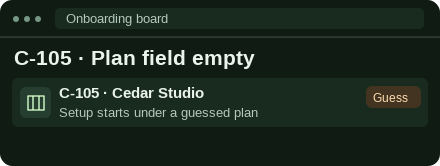
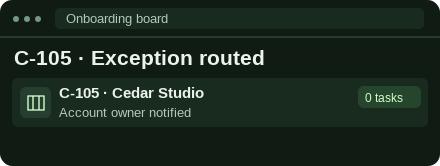
What happens when the same sales enquiry comes in twice? Compare what your team sees with and without a workflow. Try another example to see the difference.
1
What comes in
Alex sends the same enquiry twice from the same email address.
2
What the workflow checks
The workflow checks the email address and assigns each new contact to sales.
3. ResultContacts in the CRM
Without the workflowNeeds manual review: 2
Contact
Owner
Stage
AR
Alex Reedalex@studio.example
Unassigned
New
AR
Alex Reedalex@studio.example
Unassigned
Duplicate
With the workflowProcessed: 2 of 2
Contact
Owner
Stage
AR
Alex Reedalex@studio.example
Sam Lee
Assigned
Sam gets one contact. The workflow skips the duplicate.
These are made-up examples. Nothing is sent to a CRM or another tool.
Estimate your manual work
Use your own numbers for an estimate of manual time and cost. Actual savings can differ.
These are example values. Replace them with your own.
We offer project-based, full-time, part-time and hourly options. We confirm what fits the scope of your work and our team’s availability.
One conversation
Which handoff takes too much of your day?
Tell us what starts it, where it gets stuck and which tools are involved. You can send a short brief without sharing customer records, passwords or sensitive information.
Once you email your brief, we’ll look at one workflow with you, check which tools are involved and suggest a useful first test if automation makes sense.
Delivery, cost factors, ownership, support and FAQs.
Scope and acceptance
What we connect. What you get.
Platforms are one part of the decision. The workflow also needs clear rules, a way to handle exceptions and a team that knows what happens when something goes wrong.
Work with the tools you have
We check your CRM, helpdesk, inbox, spreadsheets and internal systems for usable APIs, webhooks or exports. n8n, Make, Zapier or custom code can be an option. We choose based on the work, access and ongoing cost.
Agree a workflow map, the connections and permissions, example inputs and acceptance checks. Test what should happen when a record already exists, a detail is missing or a connection fails.
Keep people in control
Decide what the workflow may do on its own, what a person approves and which exceptions need attention. The handover documents access, how to recover and who looks after the workflow.
Workflow automation consulting
From first conversation to handover.
We agree what to build and test before connecting live systems. You can start with an assessment, a scoped pilot or a review of a workflow you already run.
01 / Understand
Map the current handoff
Identify what starts it, the people and tools involved, and where time or information gets lost.
02 / Scope
Agree the first useful test
Set the input, output, permissions and exceptions. Agree how the team will decide whether the pilot is ready.
03 / Pilot
Build and compare
Test the normal path, missing data, duplicates and a failed connection. Compare the new flow with how the team works today before rolling it out.
04 / Support
Hand over and improve
Document what runs, who has access and how to recover. Agree who reviews the workflow and how we prioritise fixes and changes.
Planning the work
What shapes the cost?
The number of systems, access, data quality, exceptions to test and review coverage all matter. We agree the price and first milestone once the workflow is scoped, and separate tool costs and ongoing support from the build.
Start where a task repeats, has a clear trigger and follows rules the team can explain. If the handoff is unclear or the work changes every time, map it first and keep the parts that need judgement with people.
Can we keep our current CRM and other tools?
Often, yes. We check what each tool exposes through its APIs, webhooks or exports, and whether your plan and permissions allow what the workflow needs. If a tool cannot support a reliable connection, we explain the trade-off before you commit.
Do we need an AI agent?
Not for a workflow that can be described with clear rules. AI may help with variable inputs such as messages or documents. We agree how to check it and when a person should make the decision.
What happens when a step fails or data is missing?
We agree what to retry, what to stop and which exceptions go to a person. The tests include duplicate requests, missing data and a connection failure. A record of each run helps the team see what happened before deciding what to do next.
How much does a workflow cost, and how long will it take?
It depends on the tools, access, data quality, states to test and support needed. We agree scope, what you will receive, cost and a first milestone before work starts. A scoped assessment can be separate from implementation.
Who controls the data and owns the workflow?
You keep control of your data and own the custom work we develop for you. We agree who can access which systems, how the work is handed over and what third-party licences apply before work starts.
Who looks after the workflow after launch?
We agree a named contact, how often the workflow is reviewed and which fixes or changes are covered. If your team will run it, the handover explains the setup, checks and recovery steps. Ongoing support is scoped separately.