SaaS MVP Development Services
Test the first version of your SaaS product with real users. Start with one job they need to finish.
The form prepares an email you can review and send.
Where we can help
- Define the pilot users, workflow and acceptance checks.
- Build the agreed workflow and set access by role.
- Test a normal task and an exception before pilot access opens.
See an example
Two sites try a maintenance request portal. A valid request reaches the coordinator, and an incomplete request stays in draft.
Illustrative demo: run a first maintenance SaaS pilot
Recreated screens. Fictional data.
Read the screen details
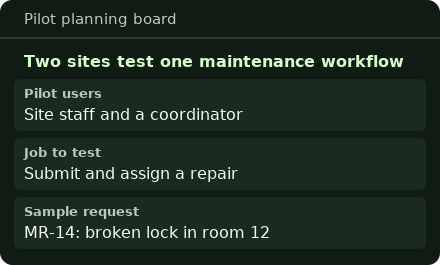
1. What comes in: Two sites test one maintenance workflow
Pilot planning board
- Pilot users
- Site staff and a coordinator
- Job to test
- Submit and assign a repair
- Sample request
- MR-14: broken lock in room 12
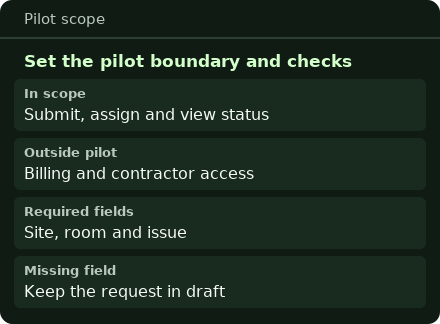
2. What the system checks: Set the pilot boundary and checks
Pilot scope
- In scope
- Submit, assign and view status
- Outside pilot
- Billing and contractor access
- Required fields
- Site, room and issue
- Missing field
- Keep the request in draft
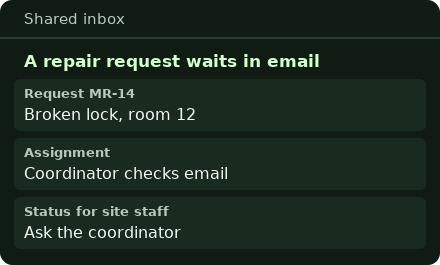
Without the solution: A repair request waits in email
Shared inbox
- Request MR-14
- Broken lock, room 12
- Assignment
- Coordinator checks email
- Status for site staff
- Ask the coordinator
With the solution: The staff member sees the repair status
Pilot request list
- Request MR-14
- Broken lock, room 12
- Coordinator queue
- 1 request received
- Status for site staff
- Assigned for repair
Without the solution: An email leaves out the room
Shared inbox
- Request MR-15
- Broken light
- Room
- Missing
- Next action
- Coordinator asks for the room
With the solution: The form keeps the incomplete request in draft
Pilot request form
- Request MR-15
- Draft: add a room number
- Coordinator queue
- Receives 0 entries for MR-15
- Next action
- Staff member adds the room and submits
3. See the result in the tool
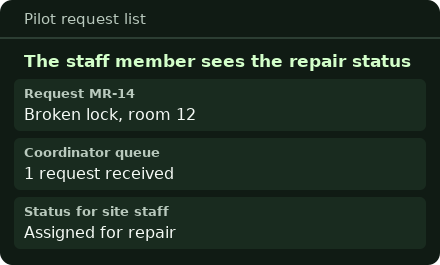
A staff member submits MR-14. The coordinator receives one request with the site, room and issue, then assigns it for repair.
Exception: the request has no room number
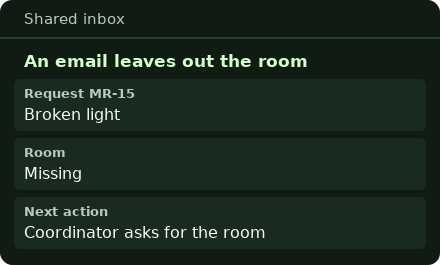
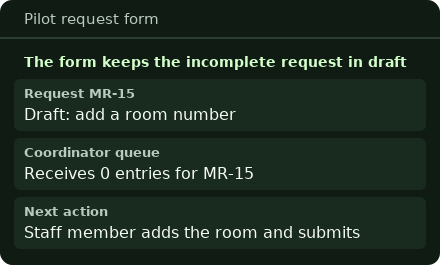
MR-15 stays in draft and prompts the staff member to add a room. The coordinator receives the request after the staff member completes it and submits it.
Tell us about one job you need to get right
Start with your name and email. Review the draft before you send it.
Email us directlyProject details
Delivery, cost factors, ownership, support and FAQs.
What you get
Choose what to test
Define one user group and one job. Agree which features the pilot includes and which features need a separate scope.
Build the pilot workflow
Build the agreed screens, records and role permissions. Give users a clear next step when a request needs more information.
Collect evidence from the pilot
Choose what to record, such as completed tasks and support requests. Use those records to decide whether to extend the pilot.
How we deliver and test it
Write the pilot scope
Agree the test group, the workflow and its limits. Define success for a normal task and an exception.
Run the acceptance checks
Ask pilot users to try both paths. Check that each role sees only the records it needs.
Hand over the pilot
Give your team the code, access instructions and test results. Agree who collects feedback and decides what to build next.
What shapes the cost?
Cost depends on the workflow, user roles, data and connections in scope. Hosting and support have separate costs.
Ownership and support
You control your accounts and pilot data. You own the custom code we build for you. Third-party tools keep their own license terms.
Meet the Synaptum teamCommon questions
What belongs in the first pilot?
Include the smallest workflow that lets a defined group complete a real task. Set aside features that the group can test later.
Can a prototype help before we build?
Yes. Use a prototype to check how users understand the workflow. Use the pilot to test it with working records and permissions.
Does a pilot include a public launch?
The pilot covers an agreed group of users. Scope a public launch separately after you review the results and support needs.