Workflow automation
10 workflow automation examples and how to choose your first
Compare 10 workflow automation examples across sales, support, finance and operations. Choose one handoff and test what happens when it fails.
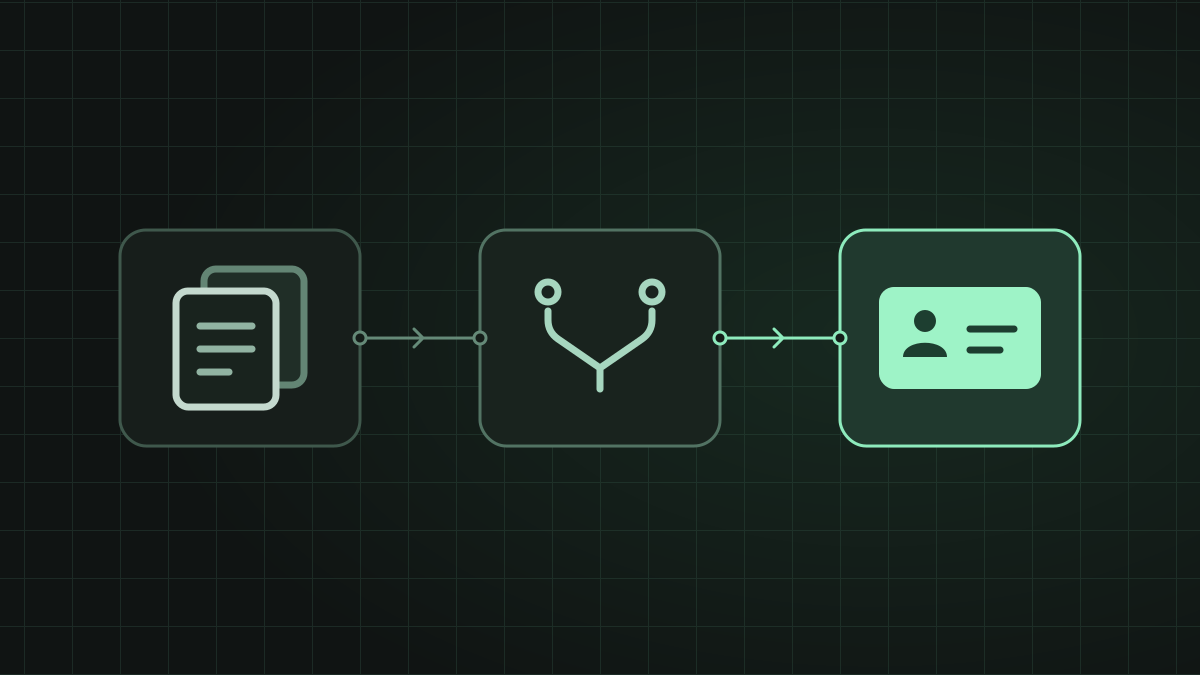
Automate one frequent handoff with a clear rule, a visible result and a person who can resolve exceptions. A form that saves one enquiry in your CRM is a good first test when repeat submissions already cause problems.
Workflow automation uses a rule to act when something happens or when a scheduled check runs. The 10 fictional examples below show the result your team can inspect and the failure that should block rollout.
See the same enquiry in a CRM
Illustrative records. The form sends submission A104 twice.
| Submission | Contact | Status |
|---|---|---|
| A104 | Alex Reed | New |
| A104 | Alex Reed | Duplicate |
| Submission | Contact | Status |
|---|---|---|
| A104 | Alex Reed | Saved once |
| Workflow | Expected result | Test this exception |
|---|---|---|
| Sales enquiries | One record per submission | The form retries |
| Support tickets | A ticket in the right queue | The topic is blank |
| Task reminders | One reminder per task and due date | The task is already closed |
Could a task like this work for your team?
Show us a task you repeatChoose your first workflow test
Choose a frequent handoff with a clear rule and a reversible result. Open an example to see who handles the exception.
| Example | Risk | First test |
|---|---|---|
| 1. CRM enquiries | Duplicate enquiry | Deliver the same submission twice. |
| 2. Support routing | Unassigned ticket | Submit a ticket with no topic. |
| 3. Email preferences | Opted-out contact receives mail | Deliver an older opt-in after a confirmed opt-out. |
| 4. Task reminders | Reminder for closed work | Close the task before the reminder sends. |
| 5. Client onboarding | Project starts too soon | Clear a required deposit after signing. |
| 6. Shipping delays | Closed case reopens | Deliver an old delay notice after delivery. |
| 7. Supplier invoices | Duplicate draft or wrong amount | Forward the same invoice twice, then test a separate amount mismatch. |
| 8. Purchase approvals | Wrong person approves | Submit a request at the spending threshold. |
| 9. Employee access | Access for a canceled start | Cancel a start with open access requests. |
| 10. Daily reports | Partial data passes as complete | Run the report with a half-loaded source. |
Choose one handoff
Start where someone copies information, checks a deadline or decides which queue receives an item. Pick a result the next person can check in a tool they already use.
Compare the work each option removes with the work it creates. Count checks, exceptions and recovery time as part of the automated process.
- Choose a CRM intake rule if repeat submissions create duplicate enquiries and the form provides a stable submission ID.
- Choose ticket routing if customers can select clear categories and your helpdesk has an owner for the general queue.
- Choose reminders if task owners and due dates are reliable and the team can check who received each reminder.
- Choose a draft or an internal alert first if the final action affects money, access or a customer commitment.
Map the workflow before you build
Write down the work as it happens today. Sit with the person who does it and follow one ordinary case, one exception and one stalled case. Record the input, the decision, the next owner, and the record that proves the handoff happened. If two teams disagree about the rule, settle that decision before wiring the tools together.
A workflow contains a trigger, conditions, actions and an owner. A scheduled job can trigger the same workflow as an incoming event. A condition can also lead to a review queue. Define what should happen when the condition cannot be checked, rather than treating missing data as a negative answer.
Write the rule as an observable result
- Name the trigger and the system that owns it. For a sales form, the form service owns the submission event and the CRM owns the enquiry status.
- Choose a stable reference. Retrying submission A104 keeps A104. A new enquiry from the same contact has its own reference.
- Name the destination and its expected fields. A useful test says which record, owner and status the sales team will see.
- Name the review queue, who acts next and when a backup takes over. Give the owner enough context to decide without searching through raw logs.
Compare three candidates with your team
Use three criteria: weekly staff minutes, rule clarity and the harm a wrong action could cause. Check a sample of cases for each criterion. A high time saving does not make an unsafe first project a good choice.
- Enquiry intake: A repeated submission is easy to identify when the form provides a stable ID. The main risk is attaching a new enquiry to the wrong person. Keep ambiguous matches in review.
- Ticket routing: A short list of valid topics makes the rule easy to test. A wrong queue can delay a reply, but a staff member can correct it. Start here if the enquiry identity is unreliable.
- Invoice payment: A wrong action can release money. Automate matching and draft creation first. Keep payment approval and bank detail changes in the existing finance process.
Decide what stays manual
Use a fixed rule for repeated decisions with stable inputs. Use a draft with review for varied text that needs interpretation. Keep final financial, access and contractual decisions with their authorized owners unless the organization explicitly approves a different control.
A shared checklist can solve an unclear handoff before integration work is justified. Try it first when case volumes are low or people still disagree about when the work starts and ends. Measure whether the checklist already solves the problem.
Sales, marketing and customer support
Example 1: Save web enquiries in your CRM
- Trigger: The web form sends submission A104 for Alex Reed twice.
- Rule: Save one enquiry per submission ID. Link a distinct submission to the same contact when a verified email matches exactly one contact.
- Visible result: The CRM shows one enquiry for A104. A distinct enquiry from Alex appears separately under the same contact.
- Acceptance failure: A104 creates two enquiries, or an ambiguous email match links the enquiry to a contact. Send ambiguous matches to the sales owner.
- Practical choice: Use CRM rules if they can enforce a unique submission ID during simultaneous writes. Use an integration if the form and CRM need a shared record of processed submissions.
Example 2: Route support tickets by topic
- Trigger: A support form creates a ticket with a selected topic.
- Rule: Route billing tickets to the billing queue. Route blank or unfamiliar topics to the general queue with a named owner.
- Visible result: The helpdesk shows the queue and the rule that selected it. Support staff can reassign the ticket.
- Acceptance failure: A blank topic leaves a ticket unassigned. A later run also fails acceptance if it reverses a staff member's reassignment.
- Practical choice: Start with a short list of topics customers can select. Review frequent reassignments with the support lead before adding more categories.
Example 3: Apply marketing email preferences
- Trigger: A person changes their newsletter preference in the preference center.
- Rule: Apply the latest confirmed preference to that newsletter. Send uncertain identities to the marketing operations owner.
- Visible result: The audience record shows the preference, the list, the source and the time. The newsletter excludes people who opted out.
- Acceptance failure: An older opt-in arrives late and reactivates a contact who opted out. The rule also fails if it changes preferences for a different list.
- Practical choice: Keep one authoritative preference record. Use the email platform's suppression controls when it sends the newsletter.
Operations, delivery and logistics
Example 4: Remind owners about open tasks
- Trigger: A scheduled check finds tasks due the next day.
- Rule: Check the status, owner and due date again before sending. Record one reminder per task and due date.
- Visible result: The owner receives one reminder. An unassigned task appears on the operations coordinator's list.
- Acceptance failure: A task closes after the scheduled check but still sends a reminder. A repeated run sends a second reminder for the same due date.
- Practical choice: Use the task tool's reminder feature when it supports your rules. Define which time zone and work calendar determine the next day.
Example 5: Start a client project after signing
- Trigger: The agreement system confirms all required signatures.
- Rule: Require confirmed payment when the agreement calls for a deposit before work. Use the agreement reference to create one onboarding record and its task list.
- Visible result: The board shows one project linked to the client in the CRM. The project lead can see the intake and invitation status.
- Acceptance failure: A repeated signature notice creates a second project. Missing intake data or missing lead approval still allows a kickoff invitation.
- Practical choice: Automate project setup when tasks repeat by service. Give the project lead control of the invitation.
Example 6: Flag shipping delays for review
- Trigger: A carrier reports a shipment exception or a scheduled check finds a missed delivery promise.
- Rule: Check the latest shipment status. Create one open case per affected shipment and route unclear statuses to the logistics lead.
- Visible result: The order shows the last carrier event and a linked case with a named owner.
- Acceptance failure: A late delay notice reopens a case for a delivered shipment. A split shipment closes the entire order's delay case prematurely.
- Practical choice: Start with an internal case. Let the case owner verify the facts before giving the customer a new date.
Finance, procurement, IT and reporting
Example 7: Prepare supplier invoices for review
- Trigger: The accounts payable inbox receives a supplier invoice.
- Rule: Match the supplier and invoice number within the correct company record. Compare the amount and currency with the purchase order when the policy requires it.
- Visible result: A clear match produces one draft bill with the source attached. A mismatch appears in the finance review queue.
- Acceptance failure: A forwarded copy creates a second draft. An amount mismatch bypasses review or a draft releases a payment.
- Practical choice: Start with suppliers whose invoices have stable identifiers. Keep bank detail verification and payment approval with finance.
Example 8: Route purchase requests to an approver
- Trigger: An employee submits a complete purchase request.
- Rule: Match the cost center, category and amount to the approval policy. Hold the request if the policy has no valid approver.
- Visible result: The request shows the approver, the due date and the policy rule. Procurement sees held requests in a separate queue.
- Acceptance failure: A request at the spending threshold goes to the wrong approver. A requester can approve their own request against policy.
- Practical choice: Test the exact spending thresholds and the backup approver. Create the purchase order only after the required approval.
Example 9: Prepare employee access requests
- Trigger: The HR system confirms a start date and hiring manager.
- Rule: Use the approved role template to create requests for standard access. Send requests for extra access to the relevant system owner.
- Visible result: The IT queue shows one request per system with a manager, start date and approval status.
- Acceptance failure: A canceled start leaves active requests that a technician can fulfill. An unknown role creates an administrator request.
- Practical choice: Start with task creation. Keep access grants with the system owners until the team verifies the separate permission and approval rules.
Example 10: Flag stale data before a report runs
- Trigger: The scheduled daily report checks its data sources before it runs.
- Rule: Compare each source's latest complete reporting period with the expected period. Hold the routine report if a required source is late or incomplete.
- Visible result: The report status names the stale source and period. The data owner gets one alert for that source and period.
- Acceptance failure: A partial load looks like a complete day. A repeated check sends another alert for the same unresolved gap.
- Practical choice: Agree what complete means with the data owner. Show the date of the latest complete report while the team resolves a delay.
Choose where the workflow should run
Choose the simplest option that meets the acceptance tests. A connector that creates a record in a demo may still lack the fields, permission controls or recovery behavior needed in production. Check the available operations with a test account before you rely on the connector.
Built-in rules, connectors and custom integrations
- Built-in rule: Use the helpdesk's own rules to route tickets when they can respect manual reassignment. Check the rule order and whether it runs once or on every edit.
- Connector or low-code automation: Use this when supported systems can pass the necessary fields and the team can inspect failed runs. Check how the connector handles authentication expiry, rate limits, duplicate events and manual replay.
- Custom integration: Consider this when the destination cannot safely repeat the required write, or several systems must stay consistent. Budget for monitoring, maintenance and who owns the code after delivery.
- Compare each option with a documented manual process. Include tool seats, usage limits, testing time and support, as well as the time saved on normal cases.
Make failed deliveries safe to recover
Start with three outcomes: completed, needs review and waiting for recovery. Record the source ID, step, last confirmed destination record and owner. Keep secrets and unnecessary private fields out of the record. Reconcile the source and destination before replaying a write with an uncertain outcome.
Use bounded retries for temporary failures. Separate missing permissions or invalid fields from a service interruption. If several records fail for the same reason, give the owner one alert with the affected records. Allow catch-up at a pace the destination can handle.
If an event arrives out of order, read current state from the system that owns it. A stale delivery notice should not reverse a newer delivered status. If the current state cannot be confirmed, keep the case pending and notify its owner.
Walk through one failed write from start to finish
In this fictional test, the form sends A104. The CRM saves enquiry E502, but the connection ends before the workflow receives the confirmation. The result is unknown. Record A104 as waiting for recovery and leave the sales queue unchanged until the CRM can be checked.
When the CRM responds again, the owner searches for A104 in the correct account. Finding exactly one E502 confirms the record exists. The owner checks its assigned team and customer reference, records E502 against A104 and completes the handoff without another write.
If two records match A104, send both to the sales owner. Keep the case paused until the owner confirms that only one enquiry remains actionable. If no record appears, retry only after a confirmed write failure or when the CRM guarantees one enquiry per submission ID. A search that returns zero records cannot rule out a write that is still in progress.
Test the recovery with a second operator. Give them only the alert and the documented procedure. If they cannot find the right record or distinguish an uncertain write from a failed write, improve that evidence before allowing unattended retries.
Apply the same pattern to another team
- HR leave requests: Record one request and route overlaps to a manager. Update a shared calendar only after approval. Test withdrawal before and after approval.
- Document review: Assign the owner of the current version and keep older review links read-only. Test a new upload while approval is pending.
- Order returns: Create one return case per eligible order item. Give warehouse staff the expected quantity and route partial returns for review. Test two packages arriving on different days.
- Contract renewals: Create one task per contract and renewal window. Check the current contract state before reminding the owner. Test a signed extension that arrives before a queued reminder.
Estimate the work and test recovery
Count cases over a normal week. Time the manual work on ordinary cases and exceptions. Measure waiting time separately if a faster handoff matters to the next team.
In a fictional week, 40 enquiries at 3 minutes each take 120 minutes of manual work. If 8 enquiries need 4 minutes of review, that adds 32 minutes to the automated workflow. Allow another 20 minutes for checks and maintenance. The estimated difference is 68 minutes that week, before initial setup or tool costs.
Use a built-in rule when one tool can show the result and handle failures. Use an integration when the handoff crosses tools and needs a reliable way to reconcile records. Keep a person responsible for decisions that depend on judgment or policy.
- Test a normal event in a copy of the destination and compare the visible result with the expected result.
- Replay the same event and confirm that it creates one result.
- Test missing fields, an ambiguous match and an event that arrives out of order.
- Simulate a destination timeout after it saves a record. Check the destination before retrying the write.
- Ask the workflow owner to pause it and process one pending item by hand. Mark that item complete before resuming.
Run a trial and decide whether to keep it
Compare two weeks on the same basis
Use your normal case mix. Separate manual handling time from waiting time, and compare similar case types. Count every case that enters the workflow, including records rerouted for review. Track staff minutes, unresolved items, duplicate results and time to resolve exceptions.
In the fictional enquiry example, a busier week brings 16 exceptions. At four minutes per review plus 20 minutes of checks, the automated work takes 84 minutes. Manual work on 40 comparable enquiries still takes 120 minutes. At 26 exceptions, the automated work takes 124 minutes. The team spends four extra minutes before setup and subscription costs.
At 68 saved minutes per week, a six-hour setup takes about 5.3 weeks to recover in staff time. This calculation assumes steady case mix and excludes tool costs. Track the real weekly total before deciding whether to add another workflow.
Launch with a fallback
- List the cases that qualify for the first trial. Keep excluded cases on the manual route.
- Review the first batch in the destination tool. Compare the actual records with your test card.
- Pause the enquiry trial on a duplicate or incorrect contact link. Define equivalent stop conditions for each workflow. Resume only after an owner reconciles affected records and verifies the failed case in a test.
- Hand over the workflow diagram, configuration, test evidence, owners and pause instructions. Let the backup run one recovery test before accepting the handover.
First workflow test card
Copy one card per handoff. Ask the owner to fill it in and use the expected results during a test run.
Workflow name:
Workflow owner and backup:
Trigger and source system:
Required fields and authoritative sources:
Matching rule and record ID:
Destination and expected visible result:
Human decision and reviewer:
Normal case and expected result:
Repeated event and expected result:
Missing or ambiguous data and expected result:
Out-of-order event and expected result:
Timeout after a write and verification step:
Exception queue, owner and response deadline:
Pause control and manual recovery steps:
Weekly case count and manual minutes per case:
Trial minutes for review, checks and maintenance:
Initial setup and recurring tool costs:
Test record IDs and observed results:
Acceptance decision, owner and review date:
Launch limits, eligible cases, and excluded cases:
Conditions to pause and resume the workflow:
Trial outcomes: cases processed, exceptions, unresolved records, repeat results, and handling time:
Trial review date and decision to retain, adjust, or pause:
Download the text template
Related services and guides
Common questions
Which workflow should I automate first?
Choose a frequent handoff with reliable inputs, a result you can check and an owner who can handle exceptions. Start with a reversible action such as routing a ticket.
Do I need AI to automate a workflow?
Use a fixed rule when the same input calls for the same action. Assess AI separately when the work requires interpreting varied text or documents.
How can I prevent duplicate records?
Use a stable ID for the event or business record. Make the destination enforce uniqueness or use a write that safely repeats. Test simultaneous deliveries and a timeout after the destination saves.
How do I know whether the automation saves time?
Compare manual work on similar cases before and during a trial. Include exception handling, monitoring and maintenance in the trial total. Track setup and tool costs separately.
What is the difference between a workflow and a task?
A task is one action. A workflow defines when that action starts, what happens next and who handles an exception. An automated reminder is a task inside a workflow that also checks the due date and task status.
When can automation cost more time?
A workflow can cost more when cases rarely qualify or when exceptions need more review than manual processing. Measure the complete trial, including maintenance and work the team still does by hand.
Get help choosing a workflow
Tell us what your team needs. The form helps you prepare an email to us.
Plan your first automation